r e v i t m o d e l i n g & d o c u m e n t a t i o n
Work in Progress
w . i . p .


![[EXTERIOR] Door Family](https://static.wixstatic.com/media/ff08d6_844462cbb69640929380b47904f2a689~mv2.png/v1/fill/w_980,h_532,al_c,q_90,usm_0.66_1.00_0.01,enc_avif,quality_auto/ff08d6_844462cbb69640929380b47904f2a689~mv2.png)
![[3D] Door Family](https://static.wixstatic.com/media/ff08d6_2552071eb27d478e9c09d4dd6dc3877e~mv2.png/v1/fill/w_980,h_532,al_c,q_90,usm_0.66_1.00_0.01,enc_avif,quality_auto/ff08d6_2552071eb27d478e9c09d4dd6dc3877e~mv2.png)
![[EXTERIOR] Window Family](https://static.wixstatic.com/media/ff08d6_6295bdd011614282a8388341f1f3acf8~mv2.png/v1/fill/w_980,h_532,al_c,q_90,usm_0.66_1.00_0.01,enc_avif,quality_auto/ff08d6_6295bdd011614282a8388341f1f3acf8~mv2.png)
![[3D] Window Family](https://static.wixstatic.com/media/ff08d6_9a679afcfe2249b1ab47b6141a23a422~mv2.png/v1/fill/w_980,h_532,al_c,q_90,usm_0.66_1.00_0.01,enc_avif,quality_auto/ff08d6_9a679afcfe2249b1ab47b6141a23a422~mv2.png)


/note/
1. form may vary in certain forms; as slight adjustments of the existing Retreat House have been made prior to the project. adjustments made are inclusive of walls, doors, windows. floor plans and height of the building are retained.
2. descriptions of the W.I.P. are shown as clicked on the selected image
3. to access to the Revit Model and Documentations, click here.
selected building: Retreat House


project two
3 D M o d e l i n g w i t h 3 D s M A X A p p l i c a t i o n
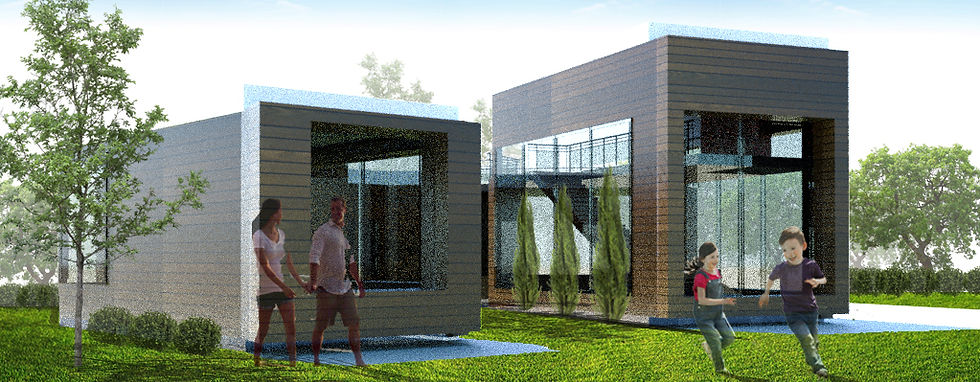

Final Renderings
3Ds + Photoshop
Work in Progress
(W.I.P.)
![[3D VIEW] in Revit](https://static.wixstatic.com/media/ff08d6_370875c9d757436da188f53176a17c60~mv2.png/v1/fill/w_980,h_532,al_c,q_90,usm_0.66_1.00_0.01,enc_avif,quality_auto/ff08d6_370875c9d757436da188f53176a17c60~mv2.png)


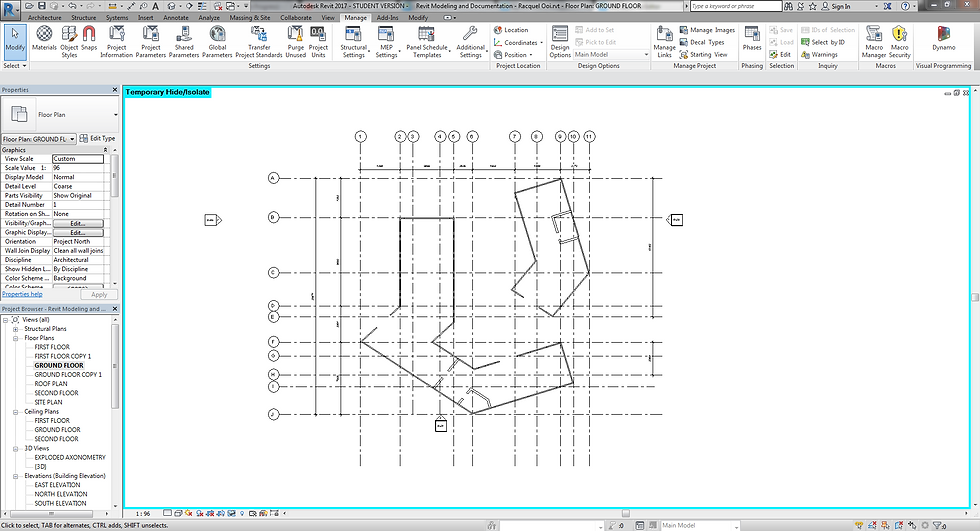
1. Titleblock family sheet is opened. Font sizes and spatial arrangement are edited.

1.1 Current Ground Floor Plan

2. Room tag is placed on floor plans.

Annotating the rooms and colour fill of each rooms on the floor plans.

Color schemed is edited for each room. This will be shown in the Color Legend.

Room Legend displays the respective colour that belongs to each room drawn on the floor plans.

Floor Plan - Plan Type Properties - Underlay is set to None; as the view visibility only consists of First Floor; excluding the floor plans of the levels below.

drawings (Plans, Elevations and Sections) are dragged into the Titleblock sheet.

Crop Region is shown

Crop Region is adjusted; visibility region is cropped away from the viewports symbol.

Crop View is enabled. This crops out the region that was excluded from the Crop Region.

Crop Region is hidden. The 'boundary-line' on the documentation drawing is now not visible.
Revit Documentation Project 1B


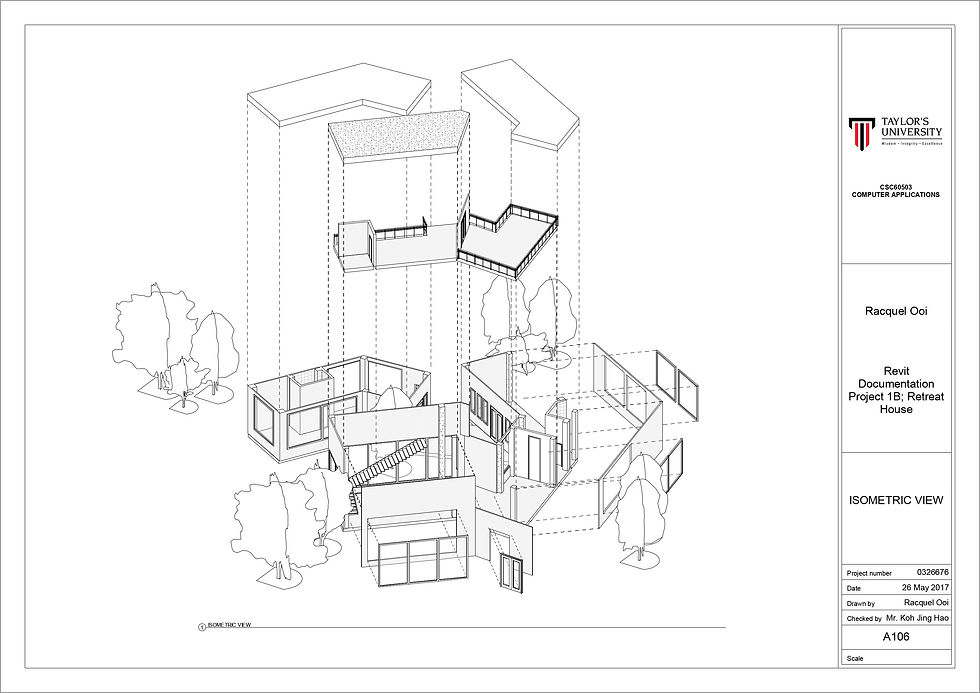

Revit Documentation: A1 Drawings
(Click to enlarge)
project one
(Click to enlarge)